


United Knowledge Network
Internal mobile applications for connecting employees and finding industry experts across the organization
Section 01
Overview
What is UKN?
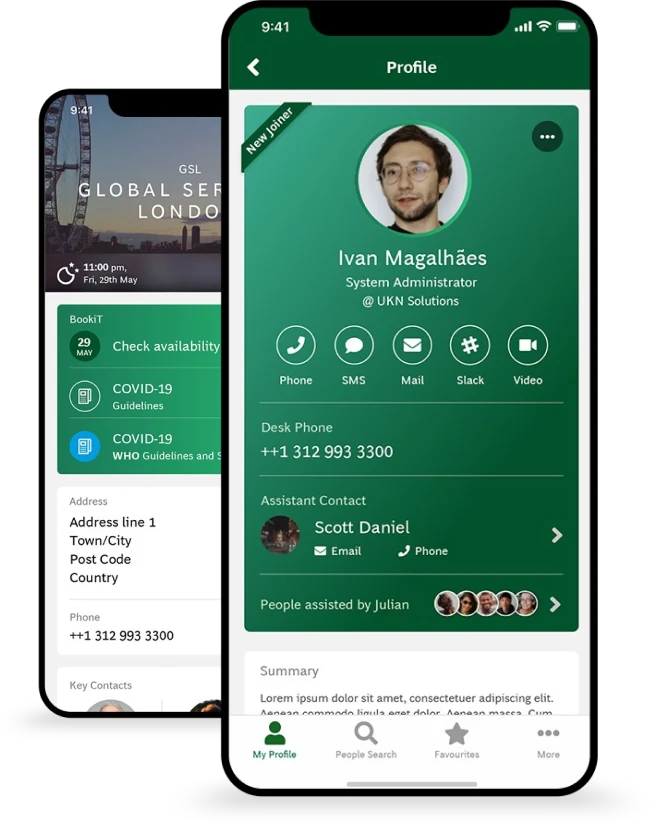
UKN is known as United Knowledge Network, which has many mobile applications for internal purposes. I have associated with some of the interesting applications which are Search for People and Experts for the respective industries (Automotive & Mobility, Oil & Gas, Health Care, Metals & Mining, Retail, Technology, etc.) based on their Name, Designation and Location.
Core Concepts
People Search
An existing application for knowing the inter UKN people to communicate among them.
Experts Search
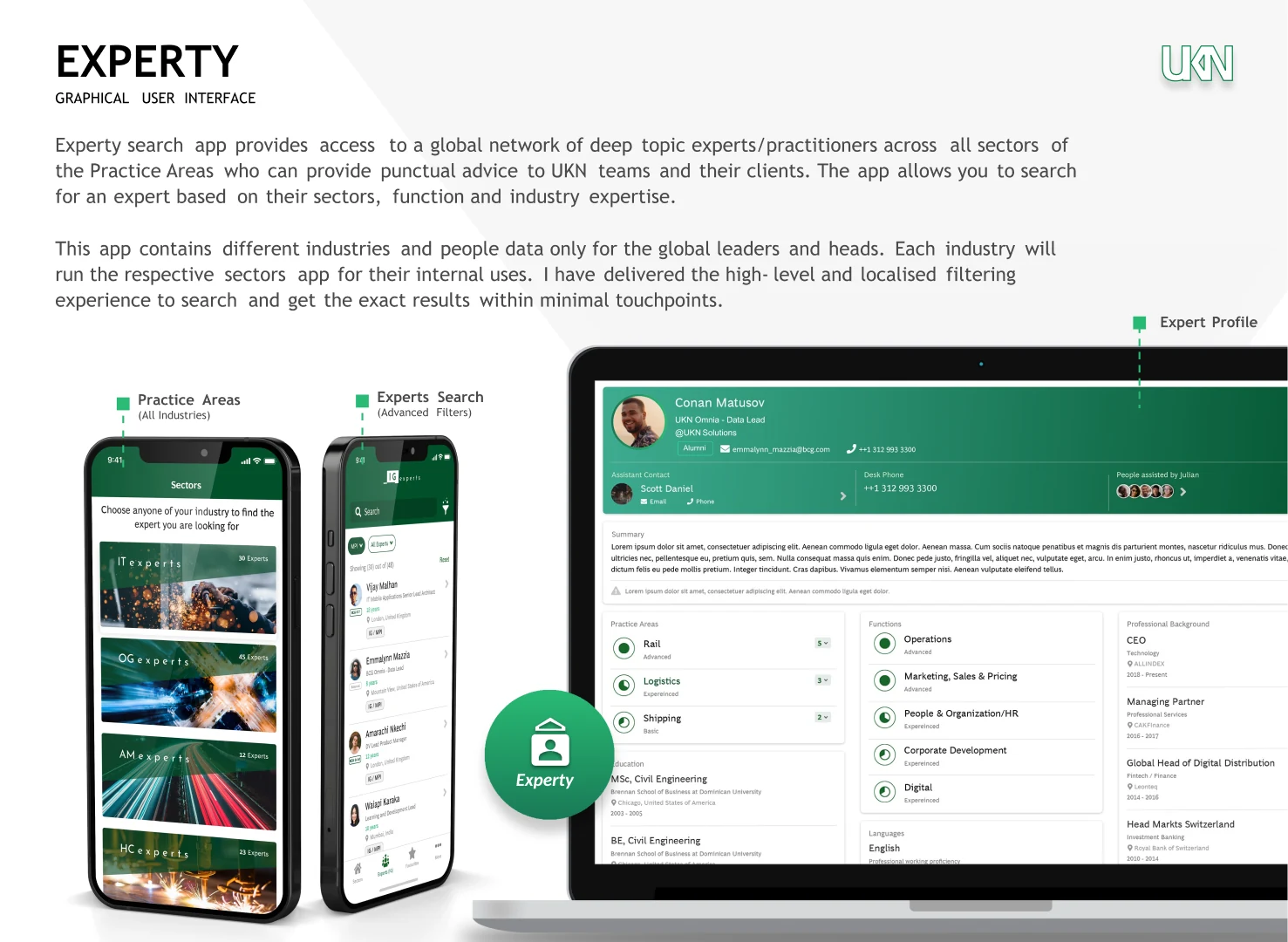
Allows searching for an expert based on their sectors, function and industry expertise. This is the new concept that has inspired by the People Search application.
Section 02
My Role
I was responsible for the whole design process as an individual contributor
Research & Analysis
- • Heuristics analysis
- • User interviews
- • Personas development
Design & Prototyping
- • Usability testing
- • Wireframing/Prototyping
- • Visual design
Development Support
- • Development assistance
- • Design handoff
- • Quality assurance
Section 03
The Challenge
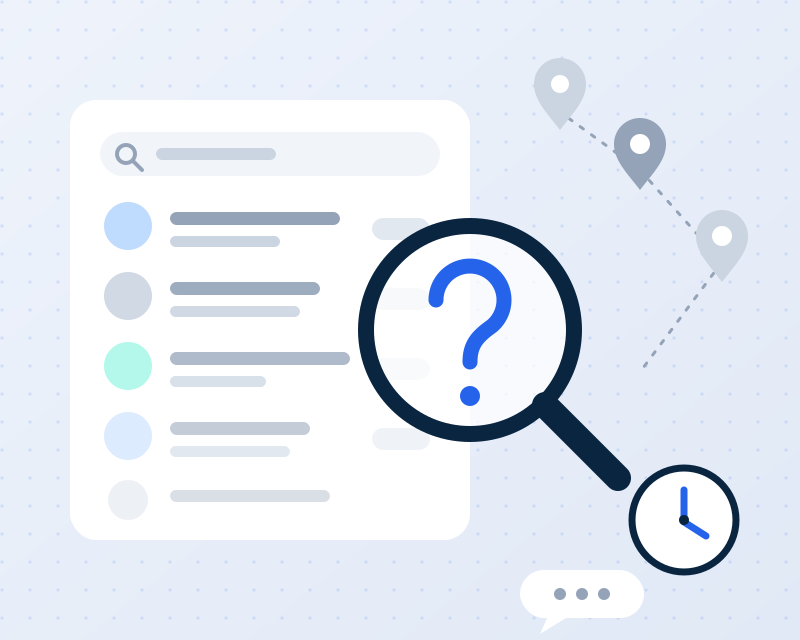
- It's difficult to mobilise information from all users, UKN offices, and industries in order to communicate quickly and easily.
- Finding experts in their respective fields and across industries is difficult, with employees wasting valuable time searching through directories and relying on word-of-mouth.
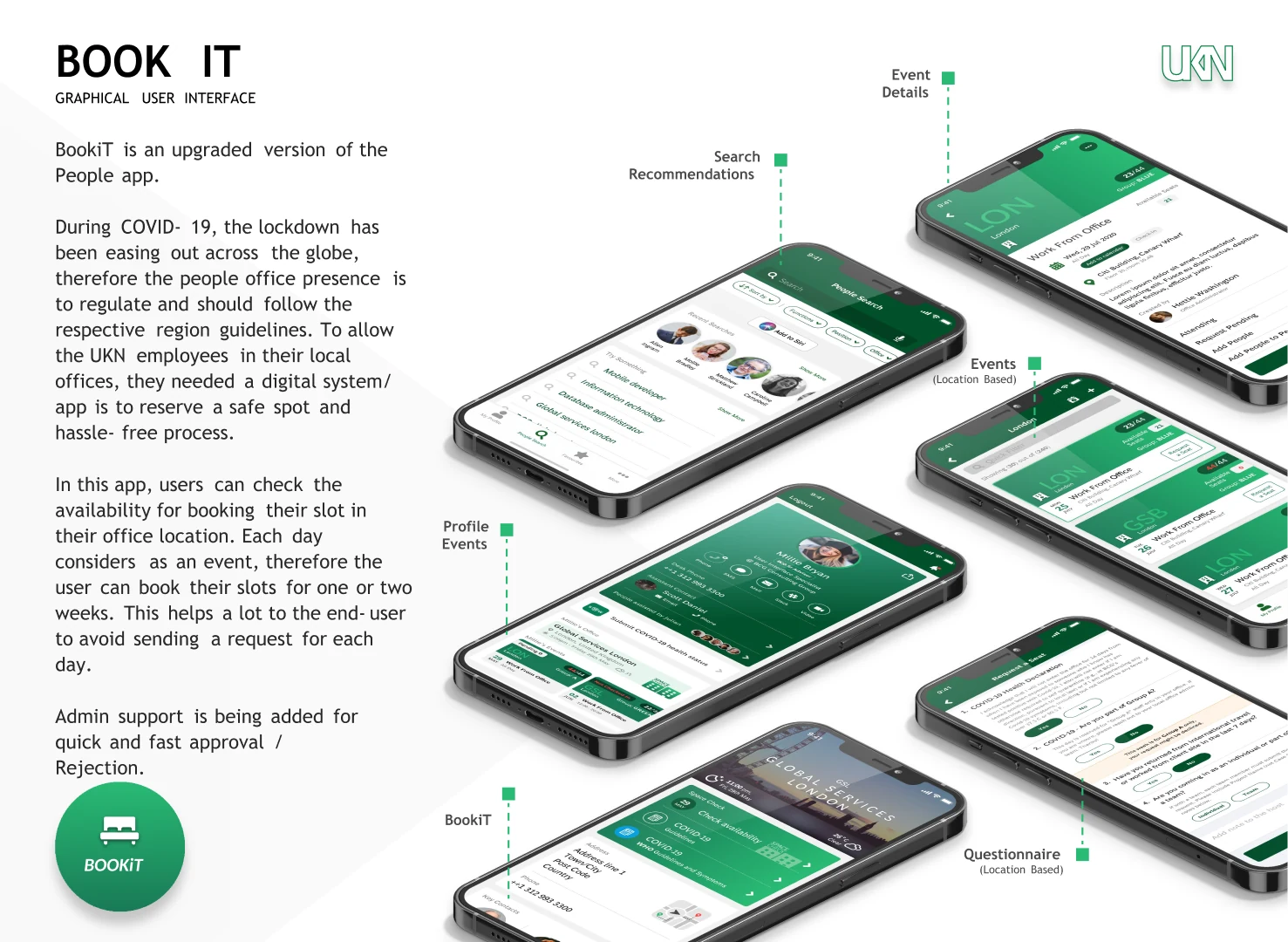
- During a pandemic like COVID-19, it's challenging to keep a healthy workplace and monitor/arrange seat availability since everyone wants to be at work.
Section 04
The Solution
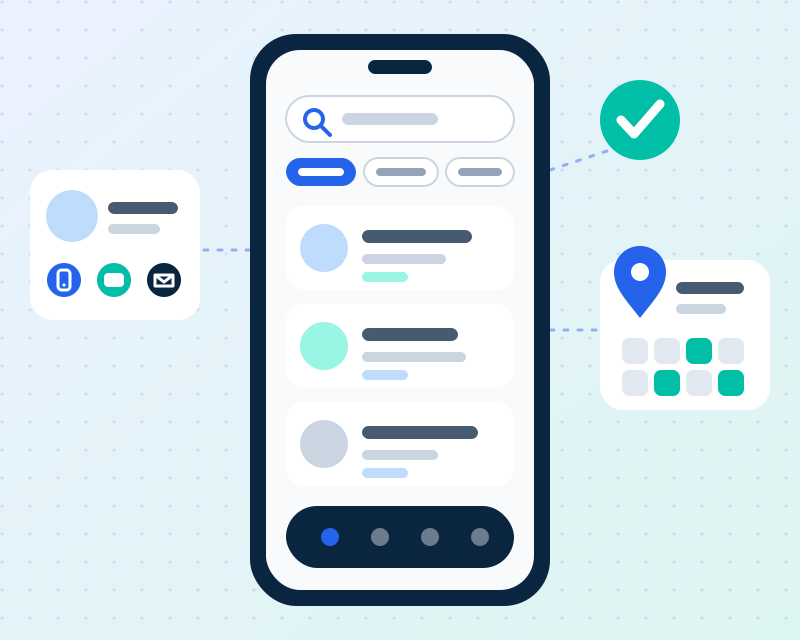
- Quick search utilising keywords such as "Name/Role/Location"; the user can search using any of the keywords. After that, there's one more filtering step to narrow down the specific matches.
- Support for single and multiple industries navigation, as well as sophisticated searches for "Practice areas, Functions, and Experienced (Skill)".
- Access their office location, events, hotels, airports, and news from their profile.
- Region-based Events (Creating office space), which displays seat availability for the day and week. Users can book seats for their professional presence, with administrators managing and authorising seat tracking.
Section 05
User Research
I conducted interviews with 18 employees across different departments and seniority levels to understand their pain points when searching for colleagues and experts within the organization.
Finding 1
82% of employees reported difficulty finding experts in specific technical domains across different locations
Finding 2
Users wanted multiple contact options displayed upfront to choose the most appropriate communication method
Finding 3
Employees needed to filter by industry sector, function, and expertise to narrow down search results quickly
Survey Questions
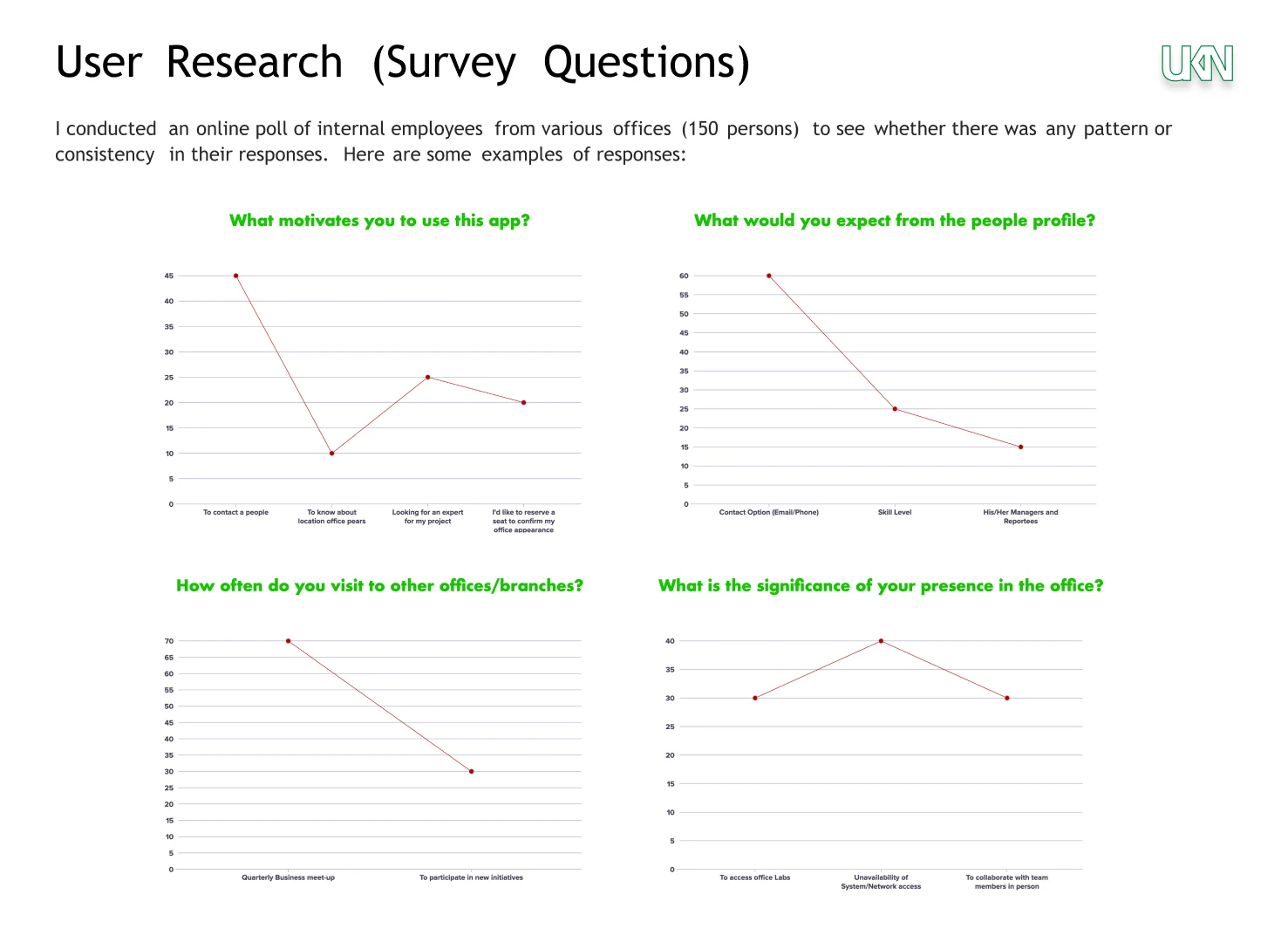
What motivates you to use this app?
- • To contact a people
- • To know about location office plans
- • Looking for an expert for my project
- • I'd like to connect a user to enquire for confirmation
What would you expect from the people profile?
- • Contact Option (Email/Phone)
- • Skill Level
- • His/Her Managers and Reportees
How often do you visit to other offices/branches?
- �� Quarterly Business meet-up
- • To participate in new initiatives
What is the significance of your presence in the office?
- • To access office Labs
- • Unavailability of System/Network access
- • To collaborate with team members in person
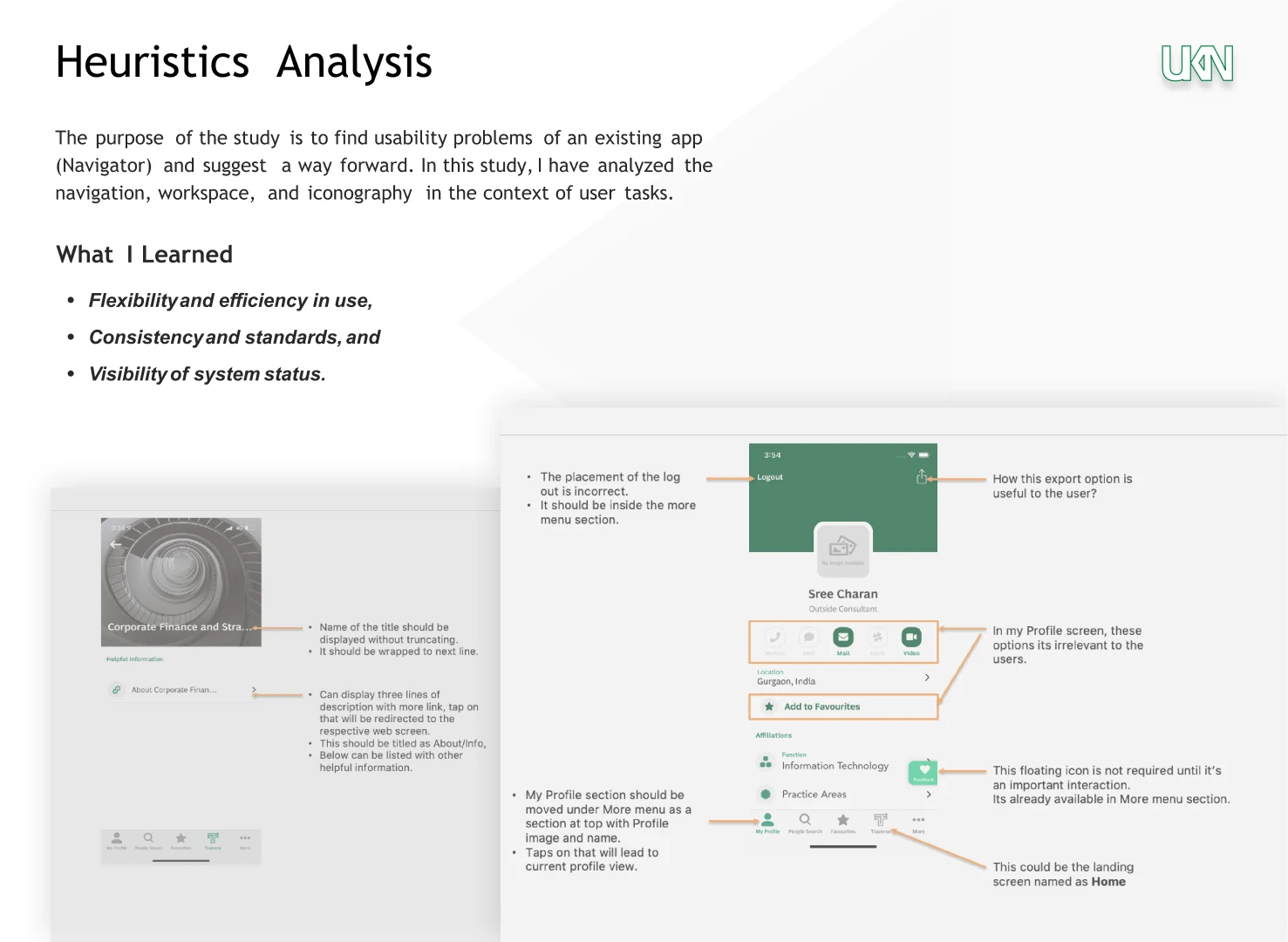
Heuristics Analysis
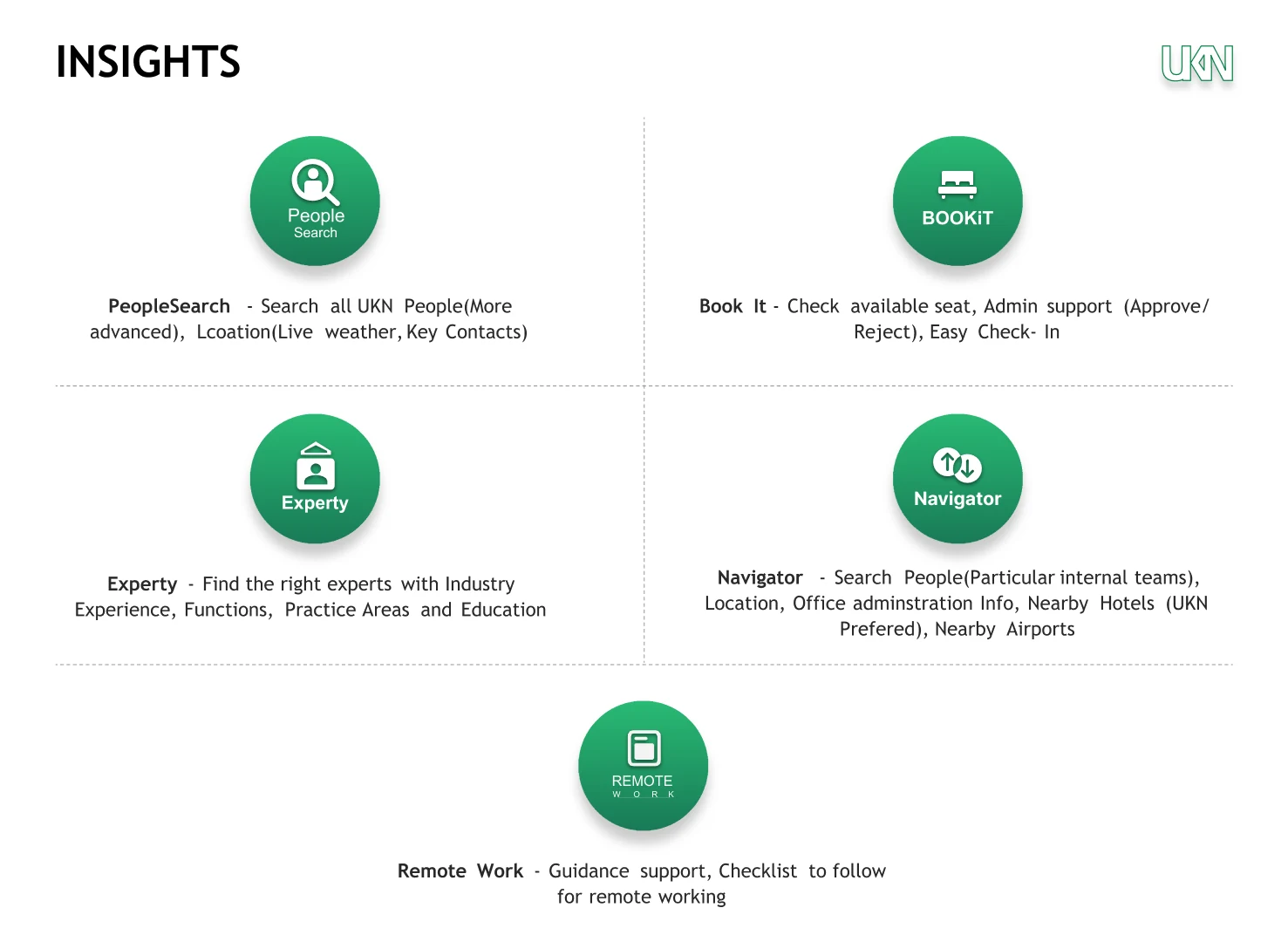
Insights
Section 06
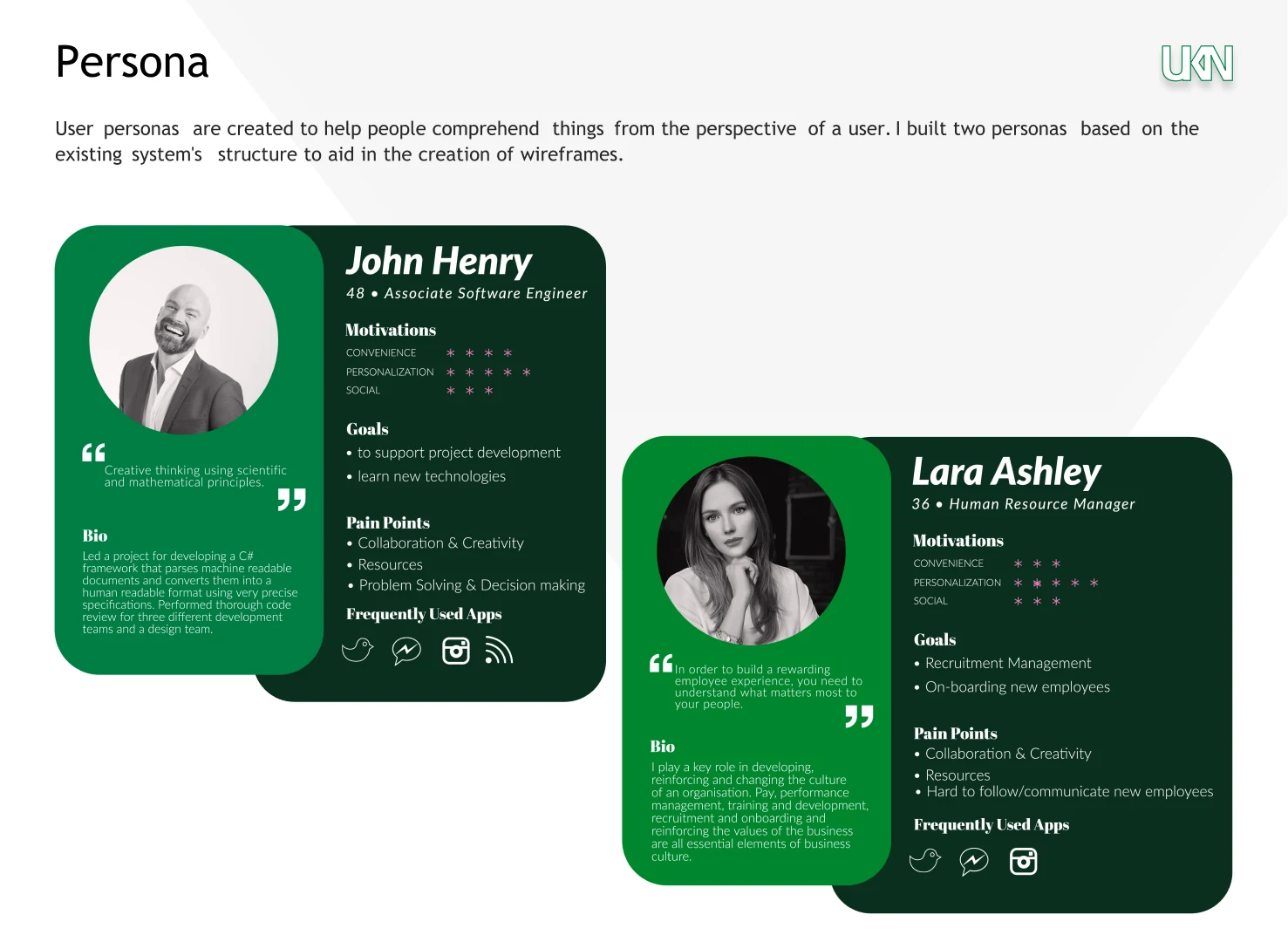
User Personas
Section 07
UX Strategy
My strategy focused on creating an intuitive search and discovery experience with rich user interface designs
Smart Search
Implement intelligent search with filters for name, designation, location, sector, function, and industry expertise to help users find exactly who they need
Rich Profiles
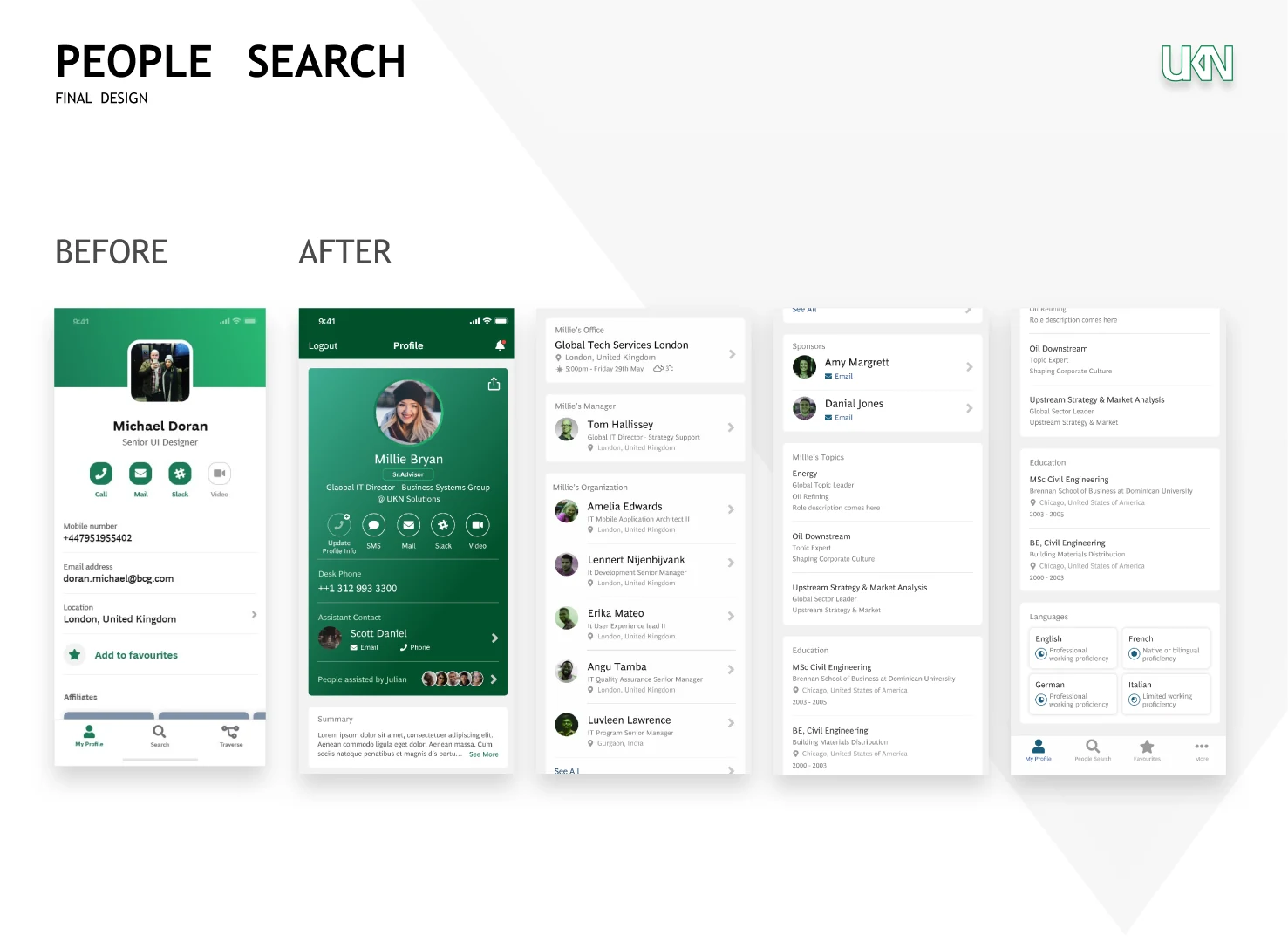
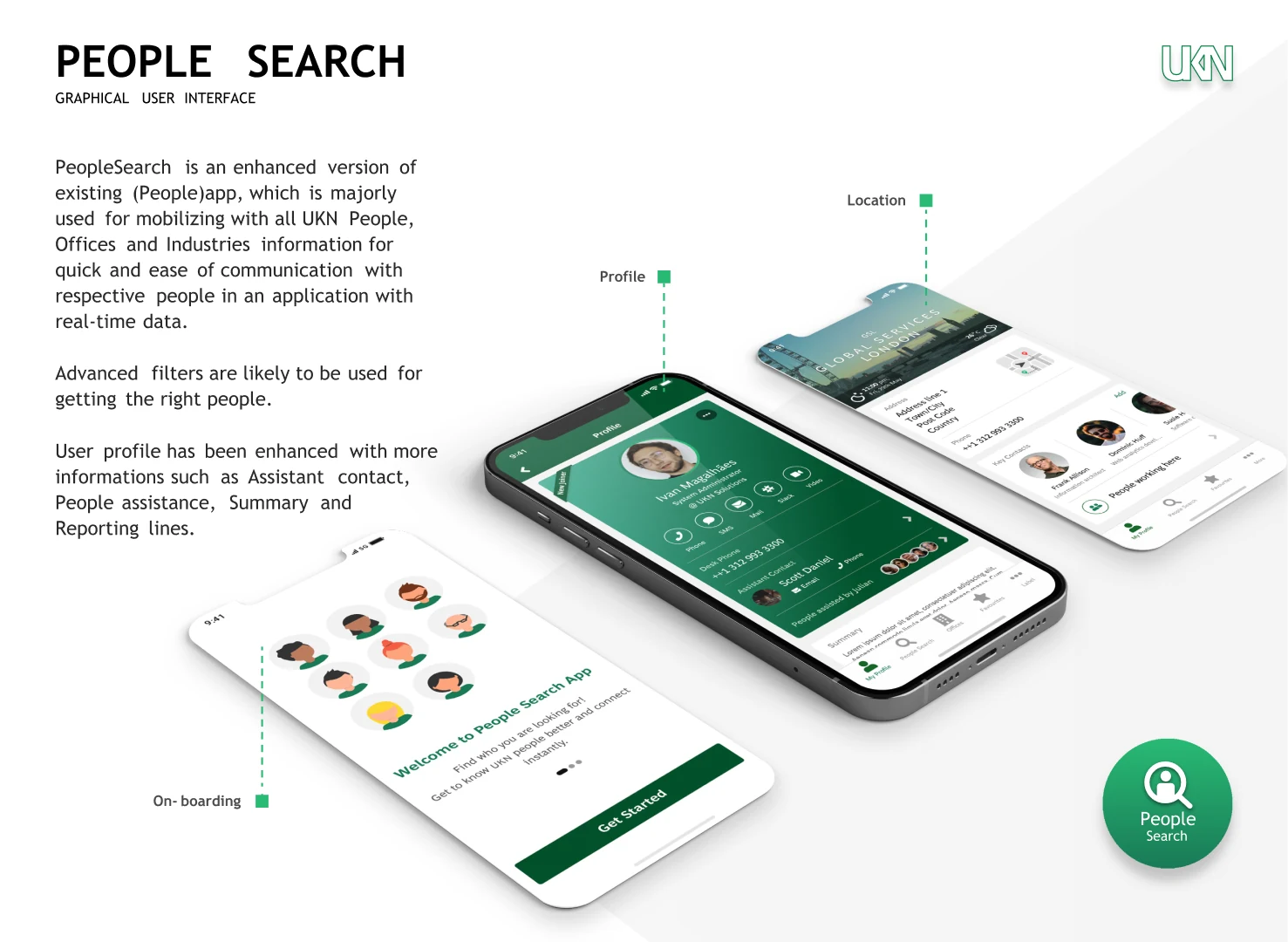
Display comprehensive profile information including contact methods, assistant details, team connections, and professional summaries
Quick Connect
Provide multiple contact options (phone, SMS, email, Slack, video) directly from profile cards for immediate communication
Section 08
Information Architecture
I organized both applications with a clear structure supporting efficient search and discovery
Define User Journey
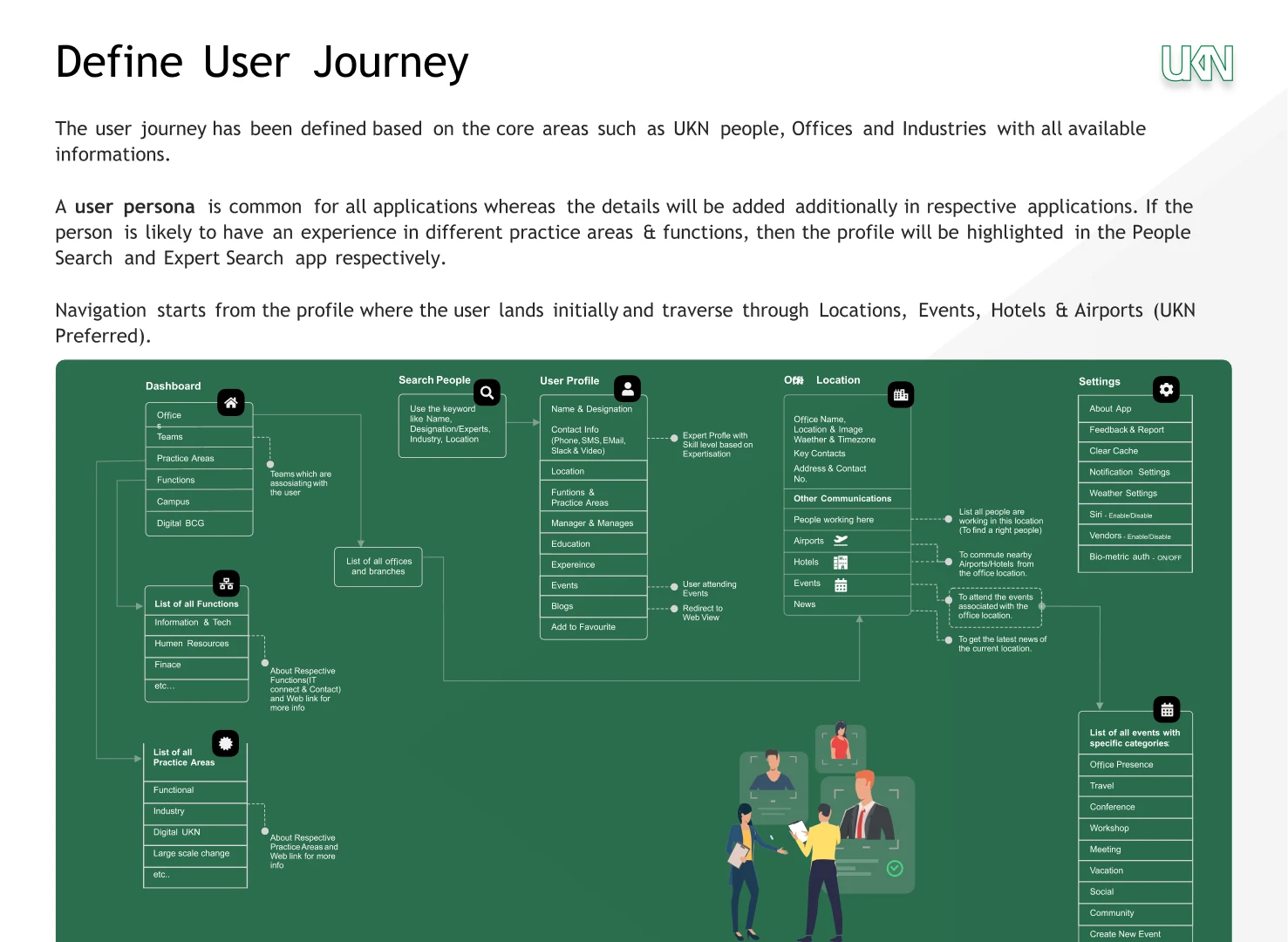
Using the research findings, I mapped out the user journey based on the three core areas: UKN people, Offices, and Industries. The user personas are common across both applications, with navigation flows starting from the user's profile.
Dashboard
- • Recent People accessed
- • Favorites for quick access
- • Quick Search functionality
- • Organization updates & announcements
- • Personalized recommendations
Search People
- • Advanced filter options (name, location, designation)
- • Searchable results list with relevance ranking
- • Sort options (alphabetical, department, location)
- • Expertise and sector filtering
- • Industry-specific search parameters
User Profile
- • Comprehensive contact information
- • Professional details and role description
- • Organizational reporting structure
- • Current projects and initiatives
- • Skills, expertise, and certifications
Location
- • Complete office directory with addresses
- • Interactive maps for navigation
- • Facilities information (labs, meeting rooms)
- • Office hours and contact details
- • People working at each location
Settings
- • User preferences and customization
- • Notification controls and alerts
- • Privacy settings and visibility
- • Account management options
- • Data synchronization preferences
Navigation Flow
- • Profile-centric entry point
- • Seamless transitions between sections
- • Contextual navigation based on user needs
- • Quick access shortcuts and breadcrumbs
- • Cross-application integration points
People Search App
- Search by name, designation, or location
- Profile view with contact methods and details
- Assistant contact information
- People assisted by the individual
- Professional summary section
Experts Search App
- Filter by sectors and industries (Automotive, Oil & Gas, Healthcare, etc.)
- Search by function and expertise areas
- Expert profile cards with specializations
- Quick contact options for collaboration
- Integration with existing People Search data
Section 09
Wireframes & Prototyping
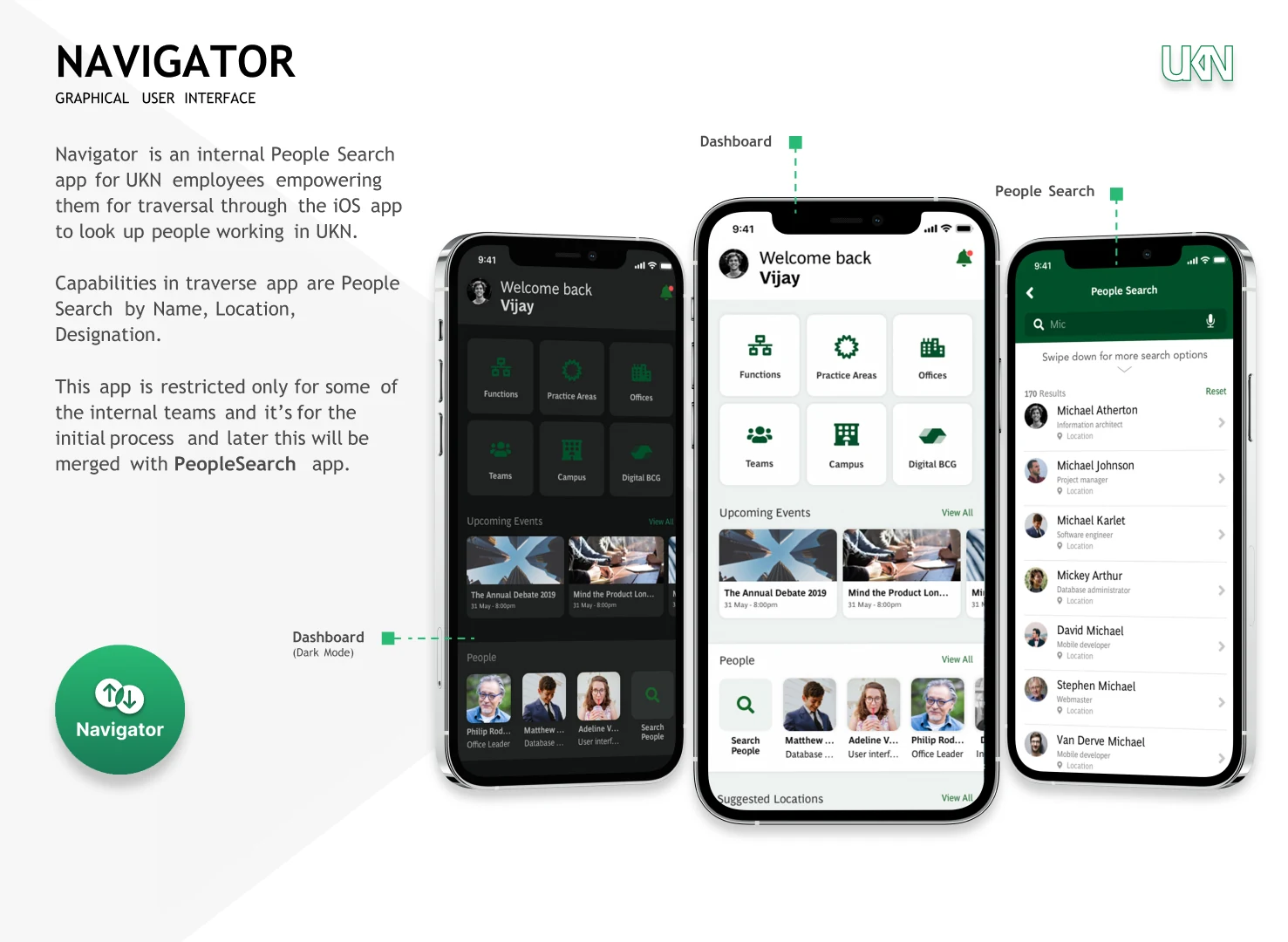
I created low-fidelity wireframes to test usability and navigation patterns with stakeholders, covering the main dashboard, navigation sections, and search functionality
Dashboard Home
Functions
Practice Areas
Offices
Teams
Campus
Digital BCG
Upcoming Events
People Directory
People Search
Search Results
Profile View
Experts Search
Expert Profile
Contact Methods
Section 10
Visual Design
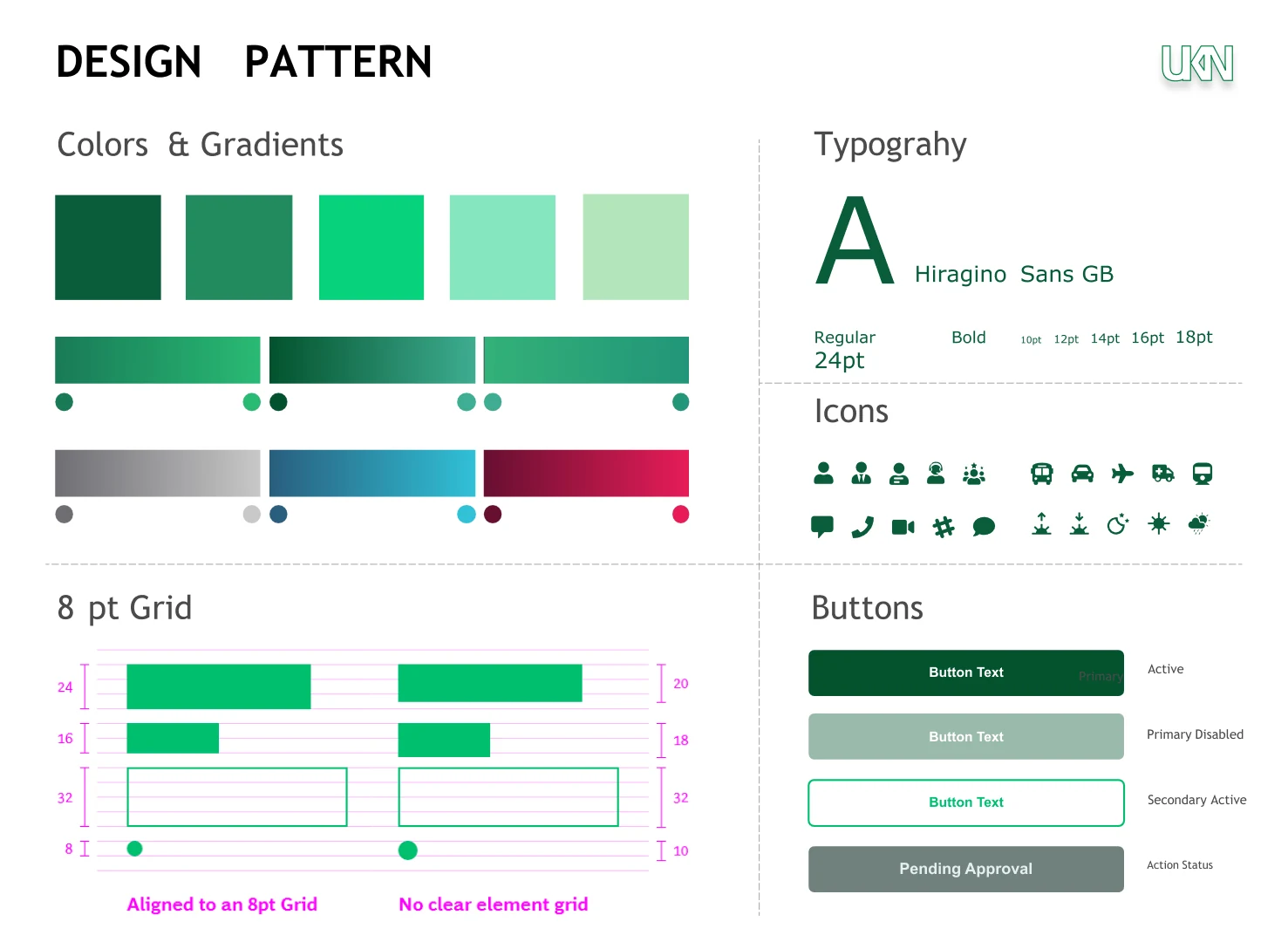
I designed a professional and approachable visual system using UKN's brand colors
Section 11
High-Fidelity Designs
Final polished mobile screens showcasing the complete user experience for both applications
Section 12
Usability Testing & Iteration
I conducted usability testing sessions with employees to validate design decisions and iterate
Test 1: Search Flow
Users wanted to see search results as they type
Solution:
Implemented real-time search suggestions and auto-complete functionality
Test 2: Contact Methods
Users needed quick access to multiple communication options
Solution:
Added prominent contact icons (phone, SMS, email, Slack, video) on profile cards
Test 3: Expert Filters
Finding experts by industry was time-consuming
Solution:
Designed multi-select filters for sectors, functions, and expertise areas
Section 13
Business Impact
The improved applications significantly enhanced internal collaboration and efficiency
User Engagement
Efficiency Metrics
Employee Feedback
"Finding experts across different locations is now so much easier. I can quickly connect with the right people for my projects."
- Rebecca M., Project Manager
"The contact options are really helpful. I can choose to call, email, or message on Slack right from the profile."
- James W., Senior Engineer
"The Experts Search has saved me hours of searching. I can filter by industry and find specialists instantly."
- Dr. Kumar, Consultant
Section 14
Key Learnings & Next Steps
Key Learnings
-
Working as an individual contributor allowed me to own the entire design process from research to development handoff
-
Enterprise users value efficiency and quick access to information - every interaction needs to be purposeful
-
Building on existing patterns (People Search) helped users quickly adopt the new Experts Search feature
Next Steps
-
Add AI-powered expert recommendations based on project needs and past collaborations
-
Implement saved searches and favorites for frequently contacted colleagues
-
Integrate calendar availability to help users schedule meetings directly from profiles