

Suite
AR-powered luggage identification at airports—find your bags quickly and easily
Section 01
Introduction
Project Overview
Suite is an innovative mobile application that leverages augmented reality to transform the travel experience. The app combines AR-powered luggage tracking, seat location, and trip management into one seamless platform, eliminating travel anxiety and organizing every journey detail.
My Role
Lead UX/UI Designer responsible for end-to-end design including user research, AR interaction design, wireframing, prototyping, and high-fidelity visual design with a focus on AR camera experiences.
Section 02
User Problem
Travelers face significant stress identifying and locating their luggage at busy airport baggage claim areas. With hundreds of similar-looking bags on the carousel, finding the right luggage quickly becomes overwhelming and time-consuming. Traditional paper tags are easily damaged, and visually identifying bags in crowded spaces creates anxiety and delays.
Luggage Identification
Difficult to quickly identify personal bags among hundreds of similar luggage
Time-Consuming Search
Wasting precious time at baggage claim searching for luggage visually
Travel Anxiety
Fear of missing luggage or taking the wrong bag from the carousel
"How might we use AR technology to help travelers quickly and confidently identify their luggage at busy airport baggage claim areas?"
Section 03
Research & Insights
User Interviews
20 in-depth interviews with frequent travelers
Competitive Analysis
Analyzed 6 travel and AR apps
Surveys
150+ responses from travelers
Key Findings
- ✓ 85% experienced luggage anxiety at baggage claim
- ✓ Visual identification is faster than manual tag checking
- ✓ Users want centralized trip organization
- ✓ AR technology increases confidence in seat finding
User Pain Points
- ✗ No reliable way to identify luggage quickly
- ✗ Seat numbers are confusing in unfamiliar venues
- ✗ Trip details scattered across multiple platforms
- ✗ Traditional luggage tags are easily damaged or lost
Section 04
User Personas
Sarah Martinez
34 • Sales Executive
Quickly identify luggage at baggage claim to make tight connecting flights
Stressed about luggage delays and wasting time searching through similar bags
James Chen
28 • Digital Nomad
Protect valuable photography equipment and easily identify bags at unfamiliar airports
Managing multiple bags and ensuring nothing gets lost during frequent travels
Section 05
UX Strategy
AR-First Design
Leverage augmented reality as the core feature, making camera-based luggage identification intuitive and instant.
Visual Clarity
Use clear visual hierarchies and bold colors to guide users through AR luggage capture with confidence.
Contextual Assistance
Provide guidance at critical moments during luggage tracking without overwhelming users.
Section 06
Information Architecture & Flow
Mapped out the user journey from onboarding to AR luggage identification, ensuring intuitive navigation and seamless AR camera integration.
App Sitemap Structure
App Launch
Entry Point
Onboarding Flow
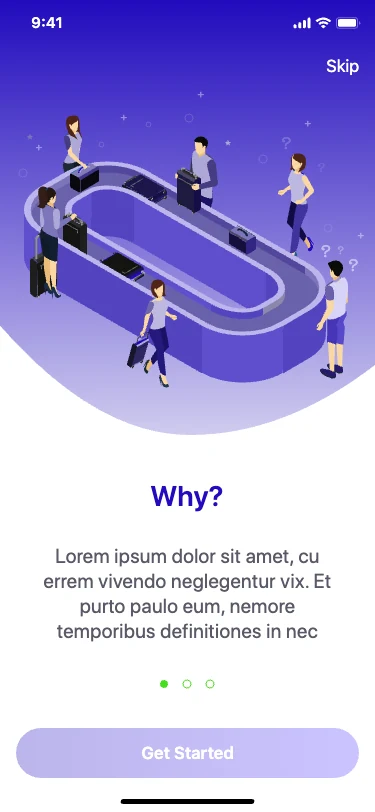
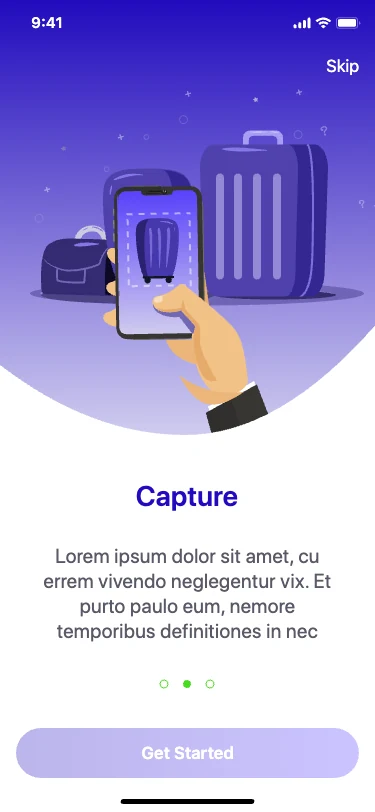
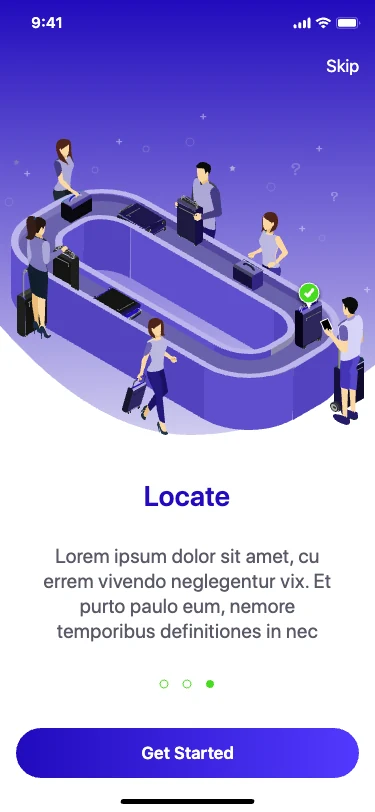
3 Screens: Why → Capture → Locate
Trips Dashboard
Main Navigation Hub
Trip Details
View/Edit Trip Info
Trip Gallery
Photos & Media
AR Camera
Capture Luggage
Luggage List
Saved Items
Past Trips
History & Archive
Trip Details
View Only
Primary User Flow
User completes onboarding (Why → Capture → Locate)
Creates first trip with destination and dates
Opens AR camera to capture luggage photos
Views saved luggage in list/gallery format
Key Features
- Quick camera access from any screen for instant luggage capture
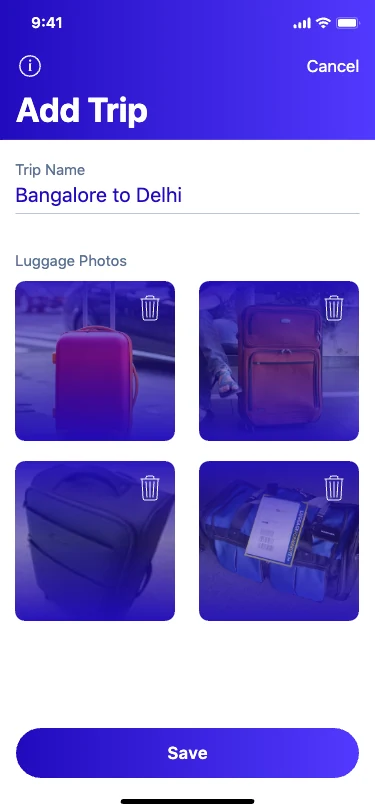
- Trip organization with unlimited photo storage per journey
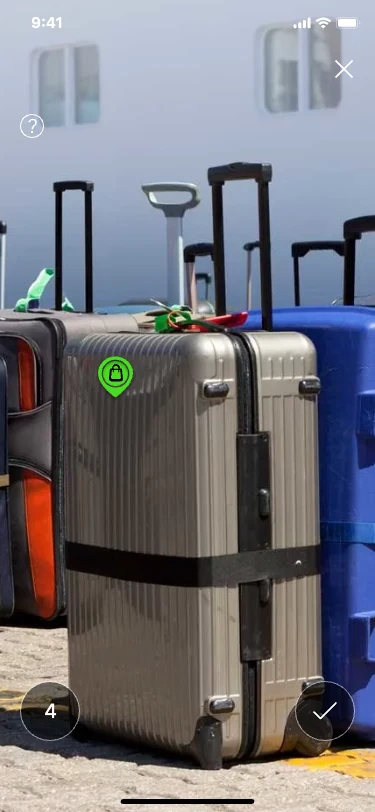
- AR-powered luggage identification at baggage claim
- Past trips archive for reference and memories
Section 07
Wireframes & Low-Fidelity
Early wireframes explored AR camera interactions, onboarding educational flows, and trip organization structures before visual design refinement.
Core Screen Wireframes
Why Suite?
Quickly identify your luggage at
baggage claim using AR technology
to capture and locate your bags.
Onboarding Flow
My Trips
Tokyo Summer Trip
Jun 15 - Jun 25, 2024
3 bags saved
London Business
Aug 2-5, 2024
1 bag saved
NYC Weekend
Sep 10-13, 2024
2 bags saved
Trips Dashboard
< Back
...
Position luggage in frame
AR Camera View
Tokyo Summer Trip
Edit
Add more
Jun 15 - Jun 25, 2024
Tokyo, Japan • 3 bags
Trip Gallery
AR Interaction Design
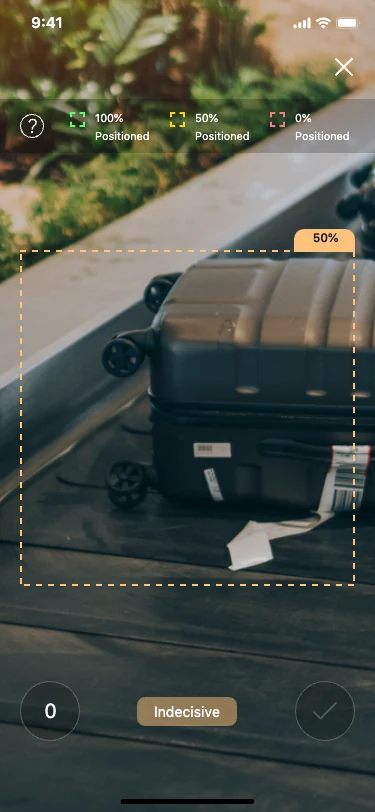
Explored camera viewfinder layouts, framing guides, and CTA button placements to ensure comfortable one-handed luggage capture.
Trip Organization
Iterated on trip list cards, detail views, and navigation patterns to balance information density with visual simplicity.
Educational Onboarding
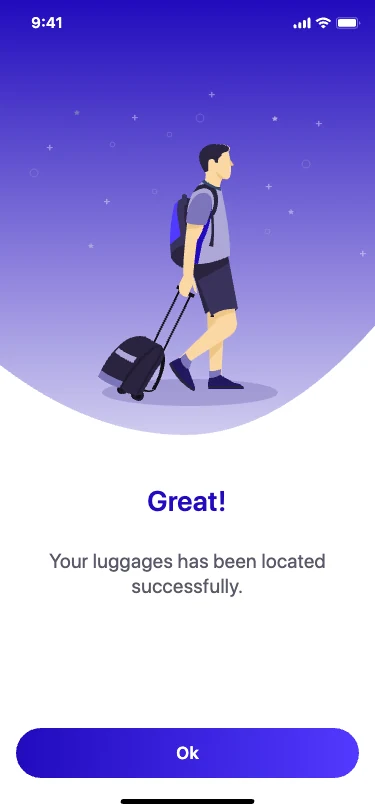
Designed progressive disclosure of AR features through illustrated steps that build user confidence before first use.
Section 08
High-Fidelity Design
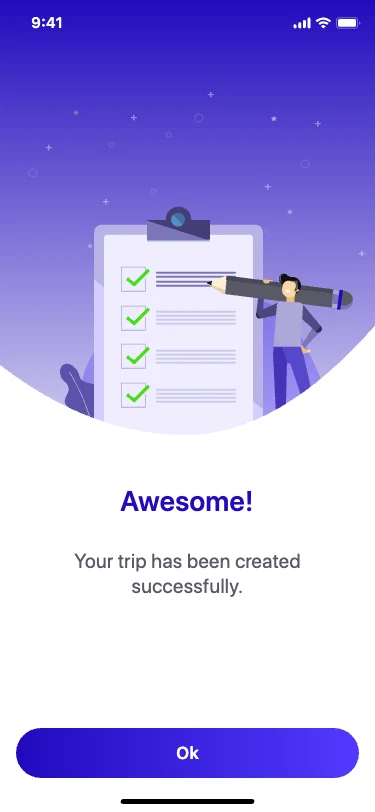
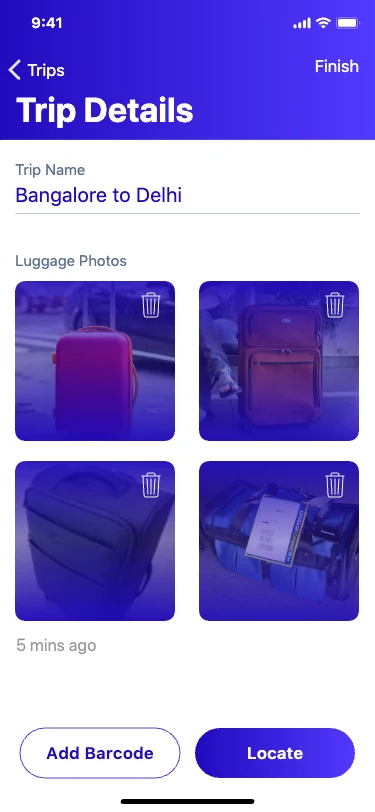
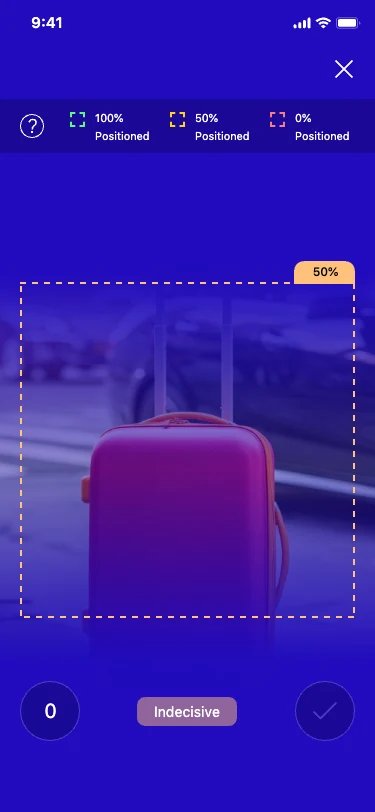
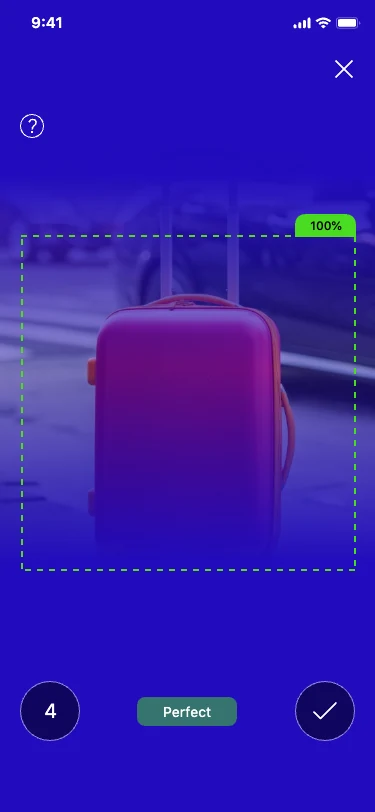
Final designs showcasing the complete AR-powered experience with vibrant gradients, intuitive camera interactions, and organized trip management.
Onboarding Flow
AR Camera Features

Trip Management & Gallery


Additional Views

Section 09
Usability Testing
Participants tested AR features
Successfully captured luggage on first try
Average ease-of-use score
Key Improvements
Section 10
Design System
Color Palette
Typography & Icons
SF Pro Display Bold
Headings & Hero Text
SF Pro Display Semibold
Subheadings & Buttons
SF Pro Text Regular
Body & Descriptions
Key Design Decisions
Bold Gradients
Purple-to-indigo gradients create a premium, tech-forward aesthetic that signals AR innovation
Action Colors
Green for confirmations (Locate, Done) and orange for actions (Add) provide clear visual feedback
Section 11
Business Model & Impact
Revenue Streams
- 💳 Premium subscription ($7.99/month) for unlimited luggage tracking
- ✈️ Airline partnerships for integrated baggage claim features
- 🎟️ Venue partnerships for enhanced seat location services
Beta Testing Impact
Reduction in luggage-related support queries
User satisfaction with AR tracking
App store rating from early adopters
Section 12
Learnings & Reflections
What Worked Well
- • AR onboarding significantly reduced user confusion
- • Visual camera guides improved luggage capture success
- • Color-coded CTAs (green/orange) provided clear feedback
- • Trip gallery organization resonated with users
Challenges & Solutions
- • Balancing AR complexity with simple interactions
- • Ensuring camera permissions were granted willingly
- • Making AR features work in varied lighting conditions
- • Educating users about AR benefits without overwhelming
Section 13
Next Steps
Airline Integration
Connect with airline systems for real-time baggage claim status updates
Smart Notifications
Add alerts when luggage is detected near user location using AR recognition
Multi-User Sharing
Enable families/groups to share luggage tracking and trip planning features